| Welcome to the TTSCpedia (beta)! This wiki is the successor to the FANDOM/Wikia version! You may create an account on the new wiki during the Public Beta stage and begin editing. Please see the to-do list here. Any content from the FANDOM/Wikia wiki will not be transferred automatically, such as pages, and accounts. That must be done manually by the end user, being you. |
Starter Kit/Tutorial: Watermarking your video (Sony Vegas)
From The TTSCpedia
Jump to navigationJump to search
In this tutorial, you will learn how to watermark (sign) your video using Sony Vegas. I will be using Sony Vegas Pro 10 for this demonstration.
Tutorial
- In Sony Vegas, load up your .veg file.
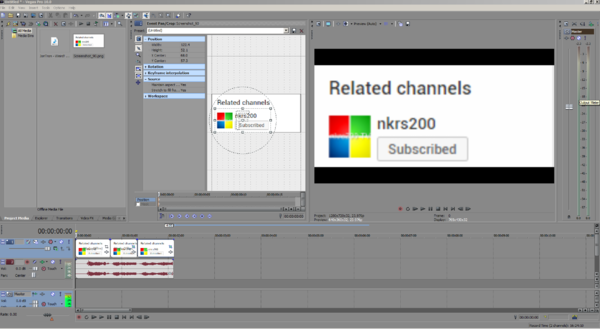
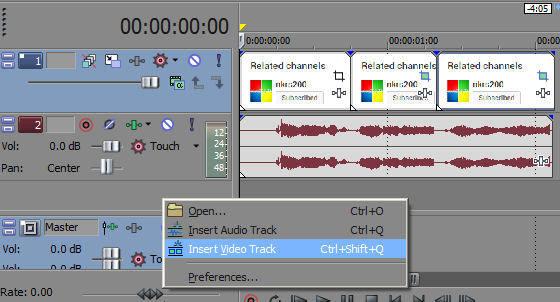
- Create a new Video track.
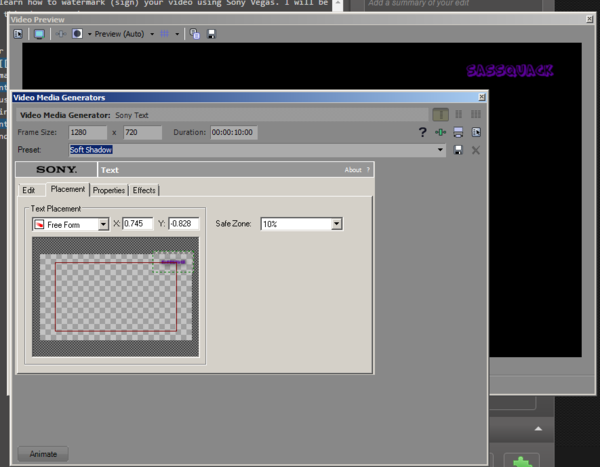
- With this new Video track made, navigate to the Media Generators tab and click "Text."
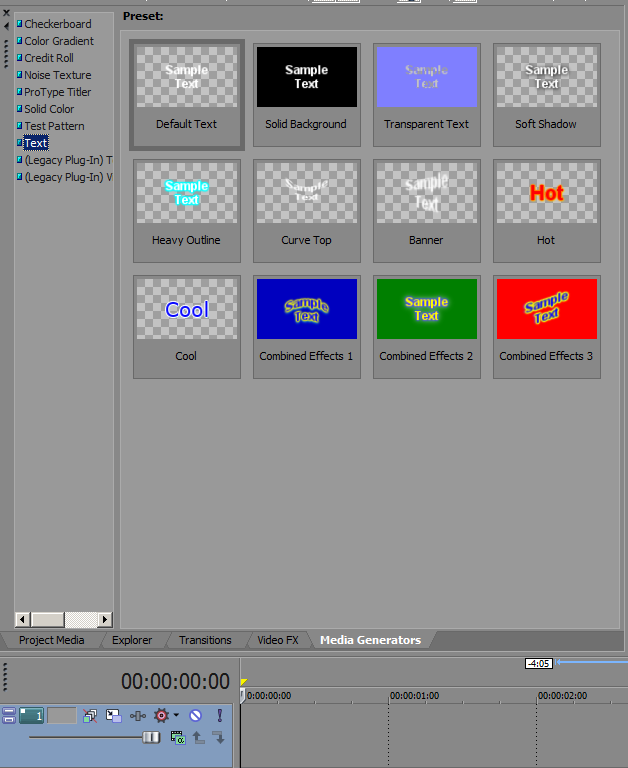
- Pick a good type. I'll be using Soft Shadow.
- Drag it down to your timeline, and edit the text as you wish. Set the font size to 16px.
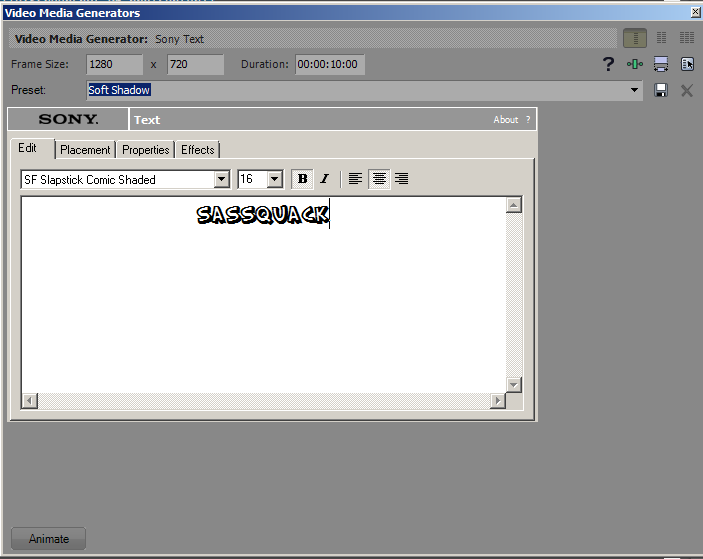
- Go to the Placement tab, and move the text to the top-right corner of your screen.
- Stretch it out over the duration of your video.
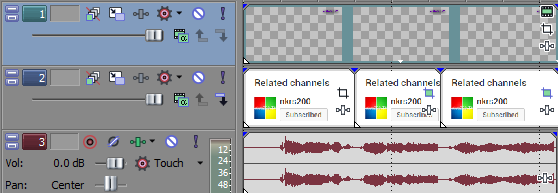


And you're done! Render or complete your video and you're all set.